Dan is one of our Patrons, and when we saw his awesome Drazhar in Discord we knew we had to ask him to participate in this HTPE! Thanks for your help, Dan!
When they announced the new Drazhar model to accompany the new Incubi with the new Psychic Awakening box set, I was pretty hype. The updated model for the Master of Blades was breathtaking. Combined with the fact that the old Incubi models were one of the big reasons I had started collecting the Drukhari almost a decade prior, I took the HEFTY price tag for the box set to the teeth on day one and assembled him before I had to go in for my job that day. Then I didn’t touch him for almost a year. I did play one game with him, but right around when Drazhar dropped was when I went on a big Final Fantasy XIV spree and I wasn’t painting much. I finally got around to him earlier this year as a palette cleanser for the Admech I was working on getting painted. In the end, I’m glad I did wait to paint him. Not only is it very intimidating to paint a character with such a great model as his and I needed to get over this painting fear (I goofed up the new Abaddon’s face and I still have nightmares), but quarantine gave me time to really improve my skills and saw the release of some paints I would use for this model to great effect.
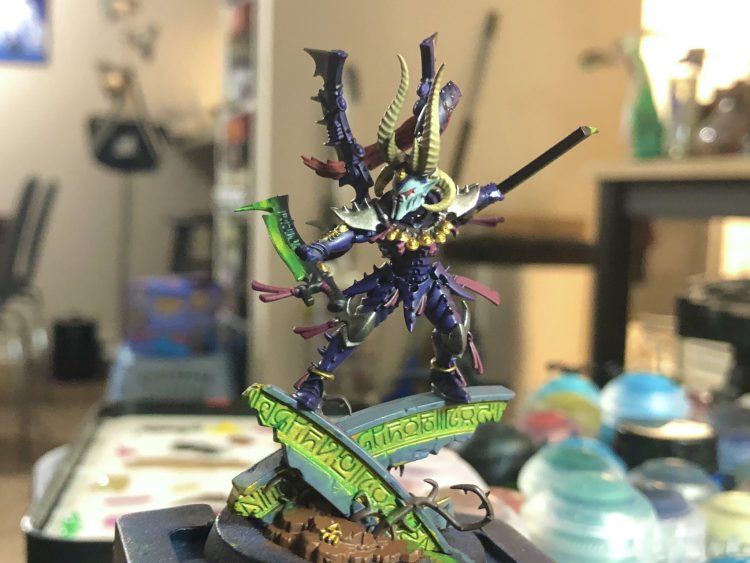
I adore how this model came out in the end. Much of the work I do with this model is about using very easy techniques and bright colors to make him pop. Not only does the white helmet provide great contrast, but the bright gemstones, pink banners and green glow also contrast nicely with the dark purple armor plating. It ensures these details don’t get lost and instead improve the look of the model. So for how I painted the blender of the dark city, I’ll touch on the three areas I felt are most important in how he came together: his Armor, his Helmet, and the Green Glow. Starting with the armor, I primed Drazhar black all around with Chaos Black citadel primer. After that, I hit the model all over with Phoenician Purple Airbrush. I could’ve done the helm separately since it’s such a delicate color, but I’ll get to why I wasn’t too worried about it later. After that, I went to my shading step, and I carefully applied Black Templar Contrast to the model. Really, you don’t want to go too overboard with this, mainly you want to carefully apply this to the segments in the armor or areas you would like to darken up. But Black Templar is a sneaky little paint that exists somewhere between a regular shade and a very strong black ink, so I’ve been using it a lot where I want extra hard shadows or super dark recesses on the model. Just be careful not to let it pool, as it’s even more of a pain to fix than Nuln Oil.
 Credit: Dan "Swiftblade" Richardson
After that dried, I did a highlight layer with
Xerus Purple and then carefully applied edge highlights. I hit the hard edges of the armor with
Genestealer Purple, careful not to let my lines get to thick by keeping my paint nice and thin on my brush. Finally, I hit the hardest corners and edges of the armor with
Warpfield Grey, to make the segments pop. Next, we get to the
Helmet, which for Incubi is classically painted that dreaded color: white. White is very unforgiving to work with, and in my experience the citadel whites come out a but chunky from the pot which can cause them to be chunky on the brush if you aren’t careful. To solve both these issues, I did some things that I highly recommend to anyone else working with white paints. First, see if you can find some mixing balls. I bought some
Army Painter Mixing Balls from my FLGS, but really any sort of small stainless steel ball will do. Take one out, put it in you paint pot, and make sure its sealed tight before you shake it. That mixing ball is going to do the lords work inside that paint pot to really make sure the paint is nice and mixed, which was a great help with the consistency of the white paints I used. It’s also very handy for the more finicky citadel metal paints like
Liberator Gold. So for the second tip, we first need to apply a basecoat. I applied several thin layers of
Celestra Grey, making sure the paint wasn’t getting to thick on my brush or the palette. If you have a wet palette, it’s a big help here. After I think about three thin coats, I had a nice and even finish on the helmet, which meant it was time to break out the secret sauce.
You wanna know what was in the briefcase in Pulp Fiction? A pot of Apothecary White Contrast Paint baby. I cannot sing the praises of this contrast paint enough as an easy way to make white look great. It will give your white a nice cool blue wash without being so strong it overwhelms the white already on there. Apothecary White will also wash your car, do your mortgage, and fix your personal relationships. Its just that good. After liberally applying Apothercary White to the helmet and making sure it doesn’t pool, I hit the main faceplate with Ulthuan Grey before finally getting the edges of the faceplate and the top of the earpiece with White Scar. Through this whole process, make sure to keep an eye on the consistency of the paint on your brush and be patient with the white: a few thin highlights looks much better than a thick one, especially with white. Without spending too much time on the lenses since this is already quite long, I started with Mephiston Red as a base, used Flesh Tearers Red Contrast as a shade (if you can’t tell, I really like contrast paints), then carefully brought up a gradient of brightness with Wazdakka Red, Evil Suns Scarlet, Wild Rider Red, Fire Dragon Bright, and finally White Scar again. You want to be very careful here and make sure your layers are very thin so they blend well, and make each layer smaller and smaller on the lens.
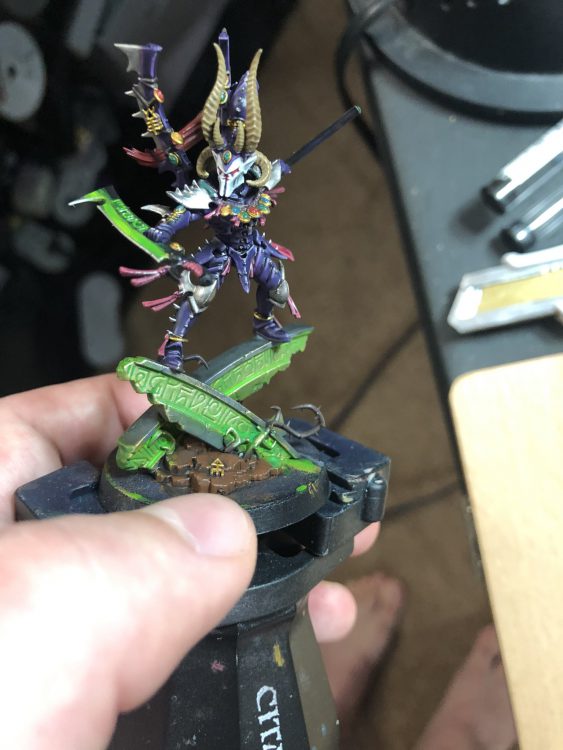
Finally, the Green Glow. Everyone is excited about this when I show them my Drazhar, so I figured it would be best for me to save it for last. To answer to most burning question: yes that is Tesseract Glow. But theres more too it. To start, I hit the blades with Leadbelcher and the inner runes on the pillar with Retributor Armor. This way the original color of the metals shine through just a hair. Then go to town with Tesseract Glow after giving the bottle a good shake. Don’t let it clump up anywhere of course, but it tends to be more yellow in the areas you want to be brighter and more green in the recesses. Outside of painting it straight on something like Grey Seer, it’s a bit subtle, but we are gonna fix that with some tricks. For the gold, I drybrushed on some Liberator Gold, hit it again with a thinner layer of Tesseract Glow and then just a bit of a Sigmarite drybrush. Gold shines through just a hair this way. Then on both the Klaives and the Pillar, I hit the recesses with Hexwraith Flame. It woks very similarly to Tesseract Glow, but the normally very bright green of Hexwraith Flame actually works perfectly with the outer green areas of Tesseract Glow to make the brighter yellows of that paint more intense.
 Credit - Dan "Swiftblade" Richardson
To bring it all together, I did some glazing highlights. Starting with the center of the sword and the runes on the pillar (both the areas I would figure the light would come from), I used
Moot Green, then get a little smaller with the highlight and use
Flashgitz Yellow, and then finally
White Scar at the very center. For a glazing highlight, you basically want to make the paint ULTRA thin on your palette, and then apply very thin layers on top of each other while getting smaller with each layer, so the color will be the most bold in the middle. Doing this with three colors produces a very easy glow effect that’s great for power weapons and the glow lighting. After hitting the edges of the sword with
Stormhost Silver and using the
Tesseract Glow/Hexwraith Flame combo to give the base a poor man’s OSL effect once the base was finished, we come up with a visually striking glow effect that is honestly really easy to do. Now with the dust settled and continuing to glance over my shoulder at my Drazhar while I type this with a smile, I can say painting him is one of my prouder hobby achievements. I tried some new things with him and he came out incredibly in the end, a fitting centerpiece to my Realspace Raiding force! A few tips to take away from this:
- Contrast paint is your friend, experiment with using it as a shade
- If you have ever considered painting white on your model ever, get yourself some Apothecary White. It will make your life so easy.
- Tesseract Glow is a great paint, and I would honestly love a few more color versions of this glow technical paint. I would highly suggest pairing Tesseract Glow with some Hexwraith Flame to really fill out a nice glow effect quickly.
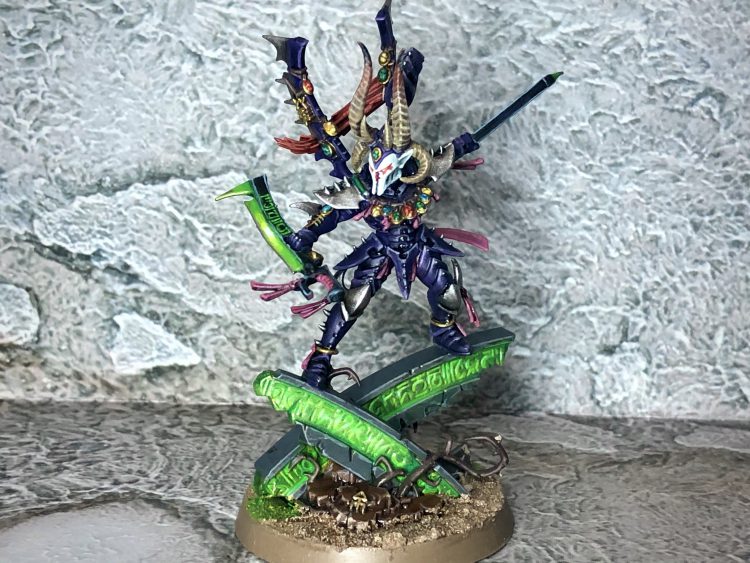 The completed Drazhar. Credit: Dan "Swiftblade" Richardson
 This website uses cookies. Learn more.

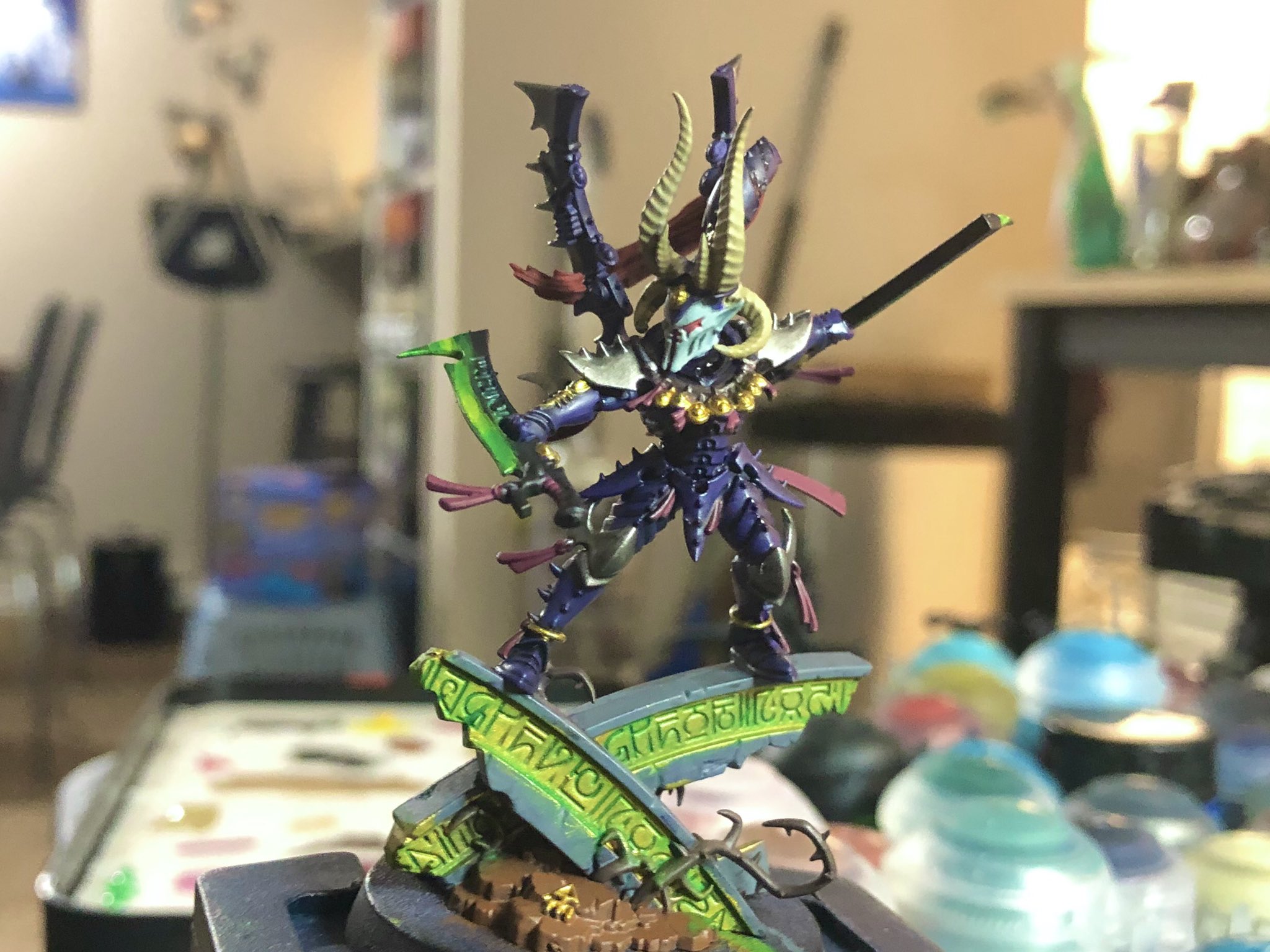 Credit: Dan "Swiftblade" Richardson
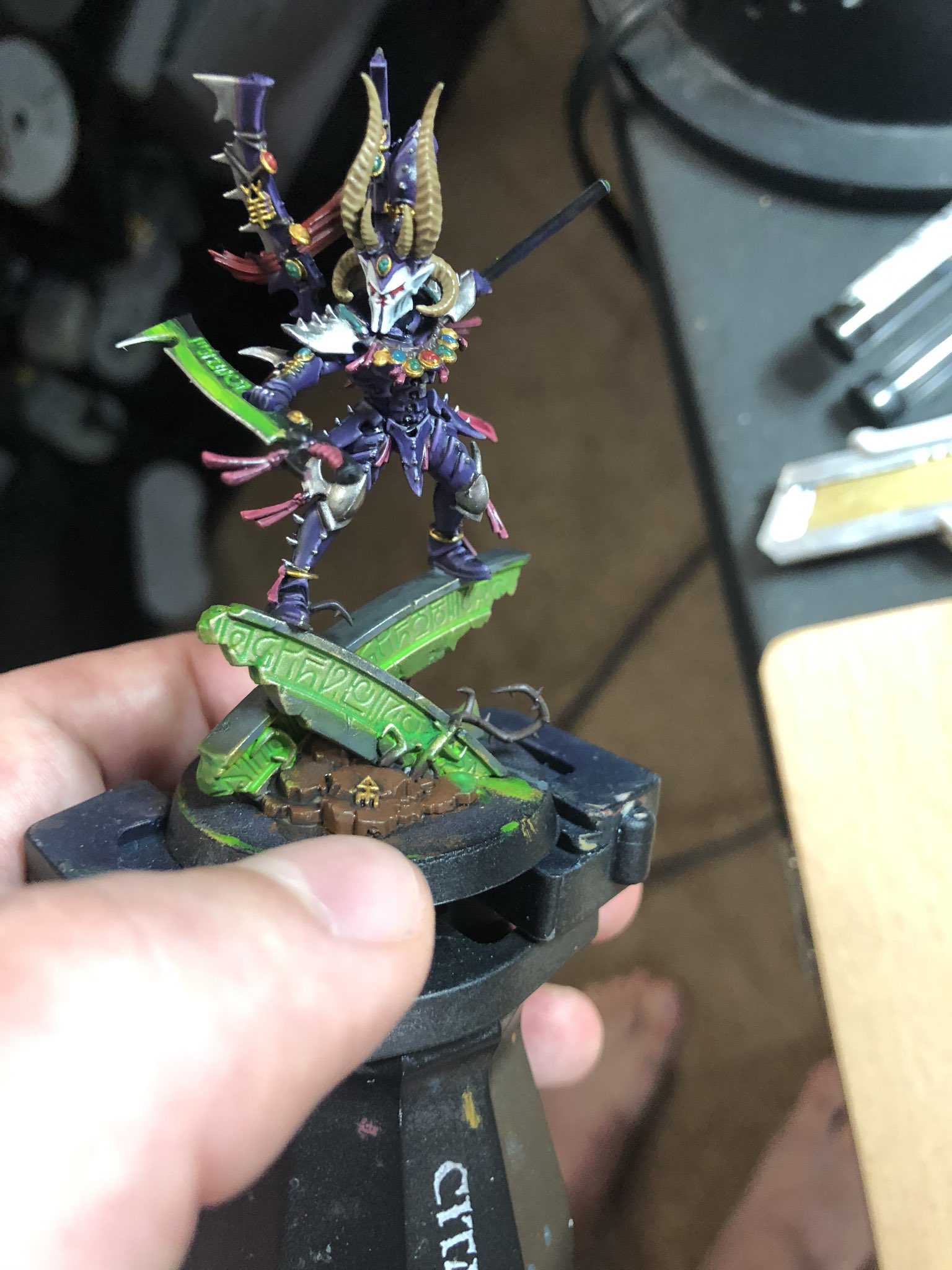 Credit - Dan "Swiftblade" Richardson
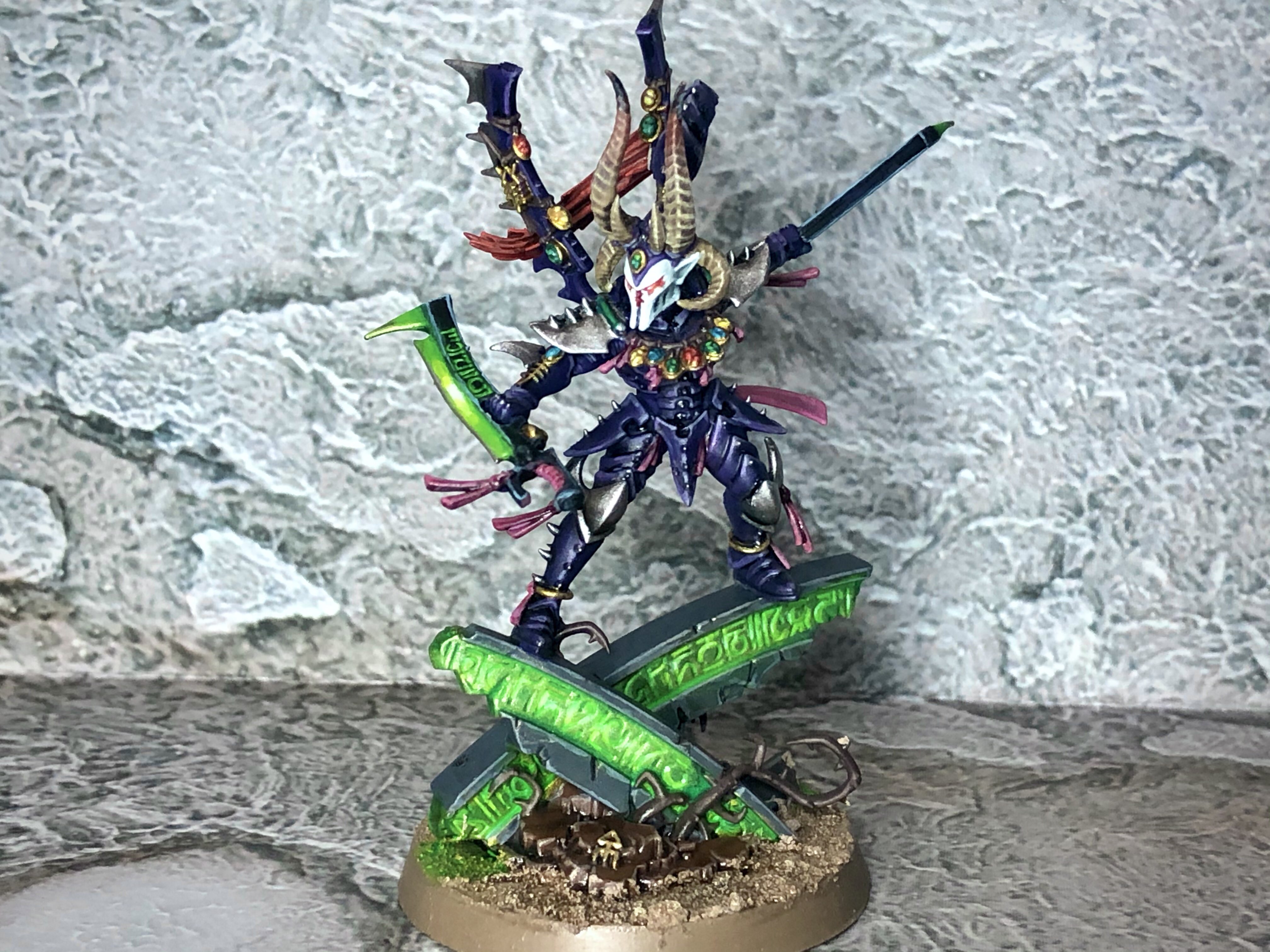 The completed Drazhar. Credit: Dan "Swiftblade" Richardson

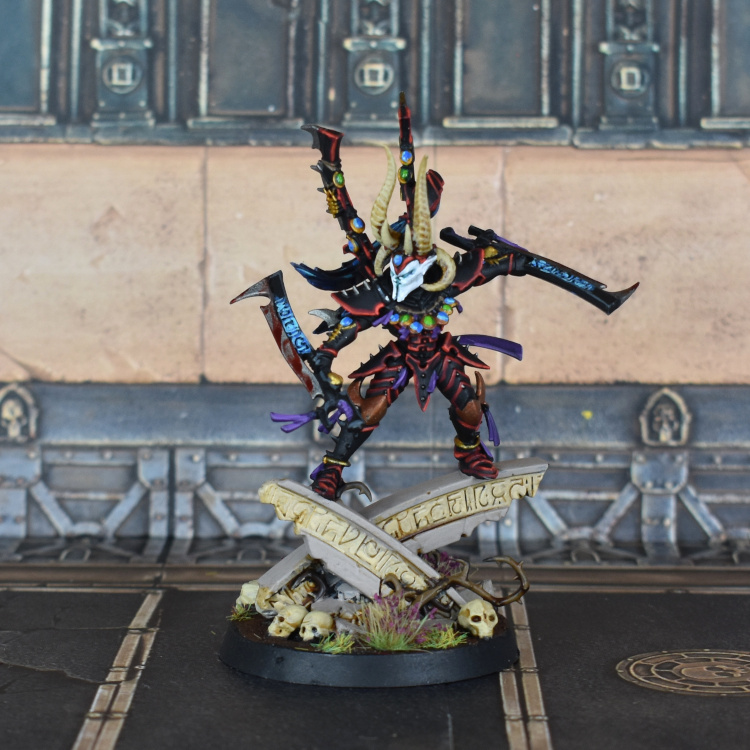 Credit: Liam "Corrode" Royle

 Goonhammer App and Patron Updates: April, 2026
 Kill Team Tournament Report: Engage, Party, Repeat's March Madness 2026
 Goonhammer Reviews: Tribal Conquest

