In this week's Fabricator General, Mike takes a look at the
Uniformation GK3 Pro. We’d like to thank Uniformation for providing this unit for review.
We’re starting to pick up some momentum with our 3D printer coverage, and I’ve enjoyed being able to branch out and start showcasing the latest offerings from a number of manufacturers. To date we’ve covered what I’d consider to be consumer grade machines, and while they might be replete with a variety of great features, this week we’re taking a look at a printer I’d consider to be firmly in the prosumer category. This category comes with higher expectations on the features and hardware provided, with things like automatic vat refill, resin heating, live camera feeds, and print anomaly detection being some of the functionality you might expect at this level.
The
Uniformation GK3 Pro boasts a 16K screen, automatic vat refill, built-in air purifier, a simple quick release build plate with side mounted drip dry system, flip up screen, and a built in vat heater. While the standard price is currently $899, it’s worth keeping an eye out for a sale as you’ll often be able to save yourself a good amount. Uniformations current Black Friday 2025 listing has the GK3 Pro at $699, for example. If you’re looking for a printer that can handle a wide variety of resins with a robust feature set to make life easy, the GK3 Pro is a great choice.
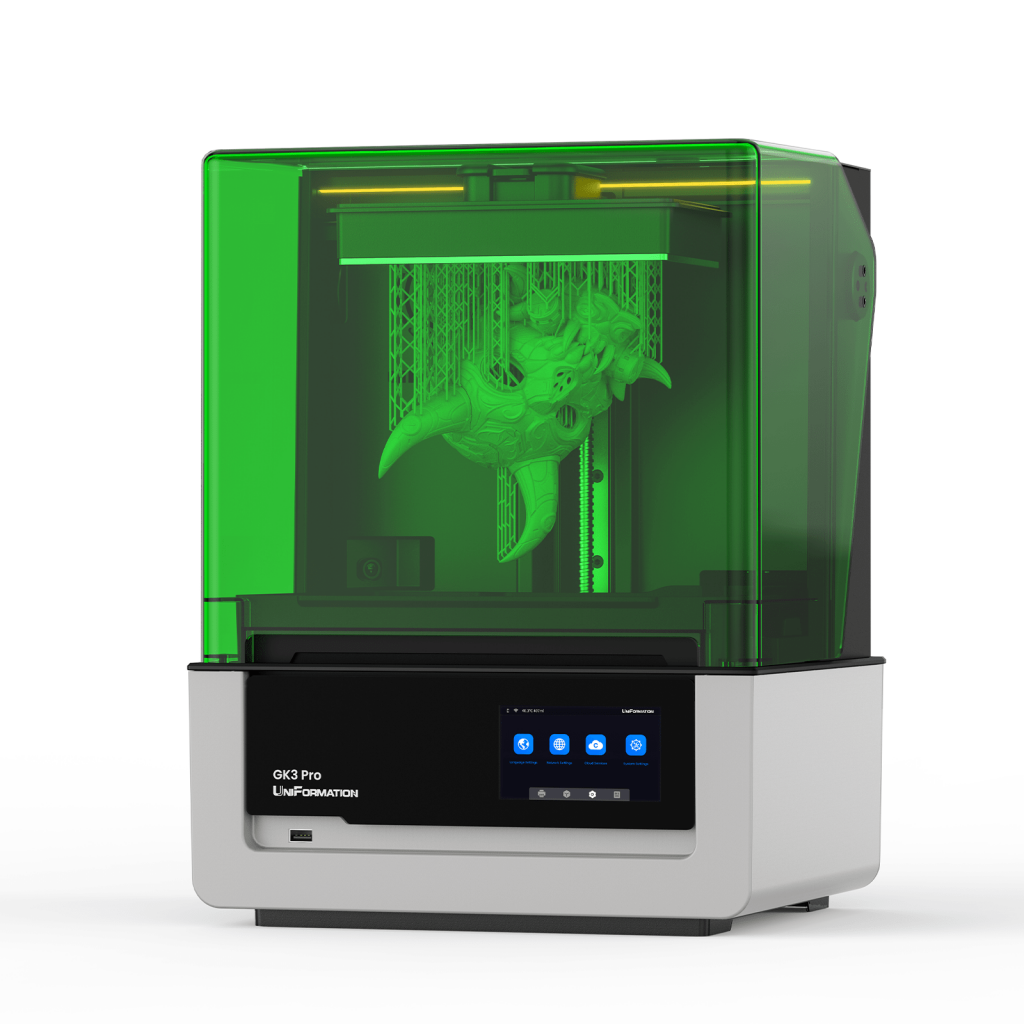 Uniformation GK3 Pro. Credit: Uniformation
The GK3 Pro represents a substantial jump in terms of features when compared to printers like the Elegoo Mars 5 Ultra. The Mars 5 Ultra is still an excellent printer, and I know when I first started looking at higher end printers like the GK3 Pro I was left asking myself if the extra cost is worth it. I still firmly believe the Mars 5 Ultra is a solid entry point into the hobby but if you’re looking for an upgrade or something more feature rich, you’ll want to look a little further. There’s a raft of quality of life upgrades that make these prosumer models worth a look for printing peace of mind.
You might want a hand moving this printer before you unbox it, and you’re definitely going to want to unbox as close to where you’re setting it up as possible. It’s 24kg (53lbs) and large enough that lifting the box can be a little unwieldy. Thankfully it’s packaged well and the box has convenient handholds for carrying the printer to its final destination. Actually removing it from the box proved to be a little tricky, and once I’d removed the foam from the top I ended up putting the box on its side to gently slide the printer out without risk of dropping it. Once again everything is packed really efficiently, with the build plate and carbon filter nested in a really neat way. There’s a variety of handy tools, and something I haven’t seen before but is often recommended, including a flexible wiper for making vat cleaning even easier.
Loading...
Preparing for the first print was really straightforward, and one of the immediate standouts is how responsive the manual move of the build plate is. So often this feels painfully sluggish but on the GK3 Pro it feels snappy. The printer’s ready to use out of the box, but the documentation still recommends using some of the included paper tabs to check the build plate to ensure it’s level. The process was clearly explained, and the included paper tabs make it simple. I did still manage to ham-fist my way into tearing one of them, and thankfully they included more than the four required for the initial check. The included USB thumb drive has one of the most comprehensive file collections I’ve come across for a 3D printer, with levelling tests, calibration reference models, a detailed test model, manual, slicers, tutorial video reference and an exhaust connector which can be printed with the GK3. All of the included extras really enhance the overall experience of getting this printer set up and configured, making the whole thing feel more professional. The printer also comes with an empty resin cartridge for the vat auto-fill system, and the included funnel fits perfectly for worry free filling. You might want to grab a couple extra cartridges depending on how often you switch resins, and for my testing I simply ran through my initial litre before switching. Having the power button and USB port on the front is a nice quality of life feature, especially when combined with the adjustable touch screen display. It’s made navigating menus much easier, and has definitely saved me a bit of neck strain.
Loading...
With everything configured I wanted to see how the presliced file for checking resin cure times worked. The same STL is replicated across the build plate with each sector being configured for a different exposure time. It obviously lacks the customisation of something like the Mars 5 Ultra test function, but it’s also much easier to use. Kicking off the print I hit my noticeable blocker in all of this.
Loading...
The resin vat fill takes a little bit of time to actually fill, and will eventually hit a timeout. I suspected this was a safety feature to stop the machine from emptying an entire bottle of resin onto your workbench if something were to malfunction, and I was right. I confirmed this with Uniformation and honestly it makes a lot of sense. If the worst were to happen and you had a punctured FEP or another issue with the vat, the last thing you want to deal with is a litre of resin suddenly outside of the machine. When changing resins or kicking off a new print while the vat is low, I’d suggest manually topping it off from a bottle before starting the print. The test print gave me a reasonable benchmark for the included Uniformation resin, and I wanted to move on to testing the wireless printing capability.
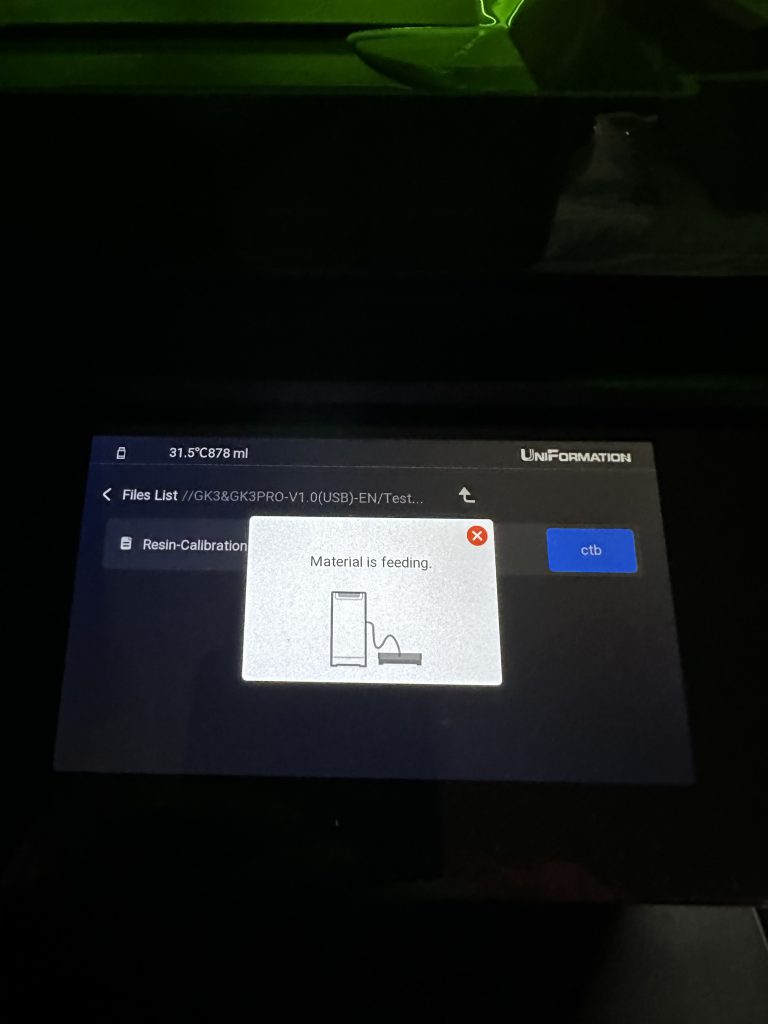
Unfortunately I couldn’t find the machine on my network, despite it reporting a connection. Connection via ethernet and power cycling didn’t resolve the problem so I reached out to Uniformation, and they recommended updating the firmware via USB. A minor inconvenience but a very simple process. Once this was done the printer happily connected to the WiFi. It would’ve been nice to be able to update the firmware via WiFi out of the box, but that’s my only real complaint so far.
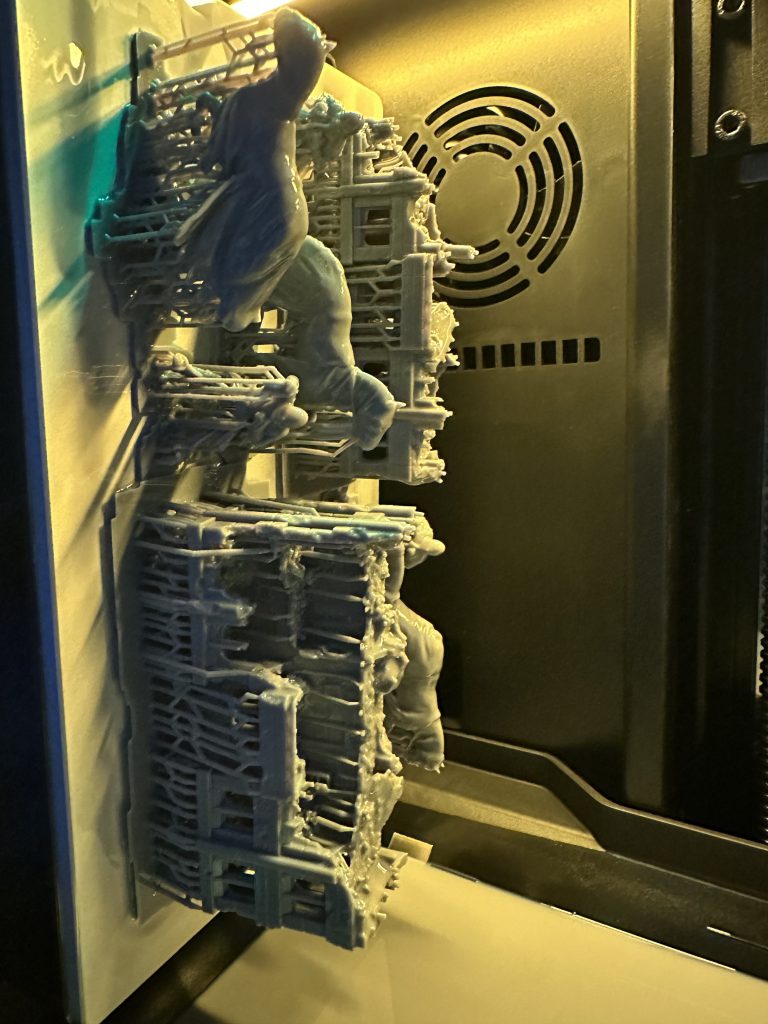
Sitting and writing this after using the printer for over a month, and I can’t actually recall a print failure. I’ve put around two litres of resin through the printer at this point across a number of models and I’m yet to hit an issue. The built in vat warmer has ensured I’m always operating at the correct temperature and this is great news for those printing in unheated sheds and garages. I really like the built-in drip drain solution, with a small arm at the top to hold the build plate while it rests in the molded channel of the resin vat. The single lever to attach and remove the build plate makes one handed removal easy and consistent. During the test I used both Uniformation Standard Resin and Sunlu ABS-like. I will say that the Uniformation Standard Resin leaves a lot to be desired for tabletop gaming, and I know this isn’t the intended use for it. I accidentally dropped a model while moving it from one desk to another and had it explode into several pieces. The rendered detail is good, but the lack of durability means I’ll likely be repairing or replacing models printed during this test quite often.
Loading...
The detail across both resins has been excellent, even if I might have one or two concerns about durability. The 16K screen has allowed for excellent rendering of fine details like chainmail, skin, cloth, and leather. I also used it to produce a couple of larger pieces including an entire building at 12mm scale. Edges are crisp and the fine detail like individual bricks and battle damage is clear. The slightly larger build plate allows for more ambitious volumes, without having to worry about the extra complexity introduced by the truly massive build plates of large volumes printers.
Loading...
Boasting a 211 x 118 x 240mm build plate, printing larger pieces of scatter and even scenery becomes possible without additional work using tools like Meshmixer or Blender. Experimenting with just how much I could fit on a single plate, I managed to print an entire 12mm scale building on the first one, and an artillery cannon, barbed wire and market scatter on the second. The GK3 Pro build plate has over twice the surface area available compared to smaller entry level printers and the extra overall volume has proven incredibly useful so far.
I will likely spend more time writing about the Uniformation Slicer, but I wanted to touch on it briefly here. Uniformation Slicer is a fork of the popular open-source solution PrusaSlicer. When I initially tried to install it Windows Defender flagged it as malicious software, which was a little concerning. Reaching out to Uniformation I confirmed this was due to it being unsigned; it’d be nice if future versions were signed to reassure users without having to contact Uniformation. With this reassurance I installed the latest version and came across a slightly odd bug in the installer, despite selecting English as the install language everything was still in Simplified Chinese when launched. After a bit of poking around I found the “配置” menu option followed by “语言” allowed me to switch it to English. If you’re not familiar with PrusaSlicer or the various forks of it, the interface can be a little intimidating. I’m still getting to grips with Uniformations' take on it but so far I’ve managed to enter a resin profile and produce some fairly reasonable prints using pre-supported models.
Overall I’ve really enjoyed using the Uniformation GK3 Pro. There’s a wealth of features here that would improve the life of experienced hobbyists or make entry into the hobby much easier for newer enthusiasts with a larger budget in mind. A great deal of thought has obviously gone into the hardware, features, and included accessories, and all of this comes together to create an excellent printing experience. With current (November 2025) Black Friday promotions, now is a great time to pick one up and we have a set of discount codes to make an already good deal, great:
GOONHAMMER30 to get $30 off the GK3-T
GOONHAMMER40 to get $40 off the GK3-B
GOONHAMMER60 to get $60 off the GK3 PRO
Have any questions or feedback? Drop us a note in the comments below or email us at contact@goonhammer.com. Want articles like this linked in your inbox every Monday morning? Sign up for our newsletter. And don’t forget that you can support us on Patreon for backer rewards like early video content, Administratum access, an ad-free experience on our website and more.
Thank you for being a friend.
 This website uses cookies. Learn more.

 Goonhammer App and Patron Updates: April, 2026
 Kill Team Tournament Report: Engage, Party, Repeat's March Madness 2026
 Goonhammer Reviews: Tribal Conquest

