This article is part of a larger series on how to paint Necrons. To return to that series, click here.

I've always thought the Mephrit Dynasty had a cool color scheme ever since they were put in the spotlight for the Devastation of Baal campaign series. In particular, I really liked their orange energy and hyperphase weapons, and ended up copying that effect when I did my Novokh Dynasty Necrons in Indomitus.
The Mephrit scheme is pretty straightforward, with only a couple of extra touches on painting a simpler scheme like Sautekh.
Prime: I started by priming this Necron Warrior with
Leadbelcher spray.
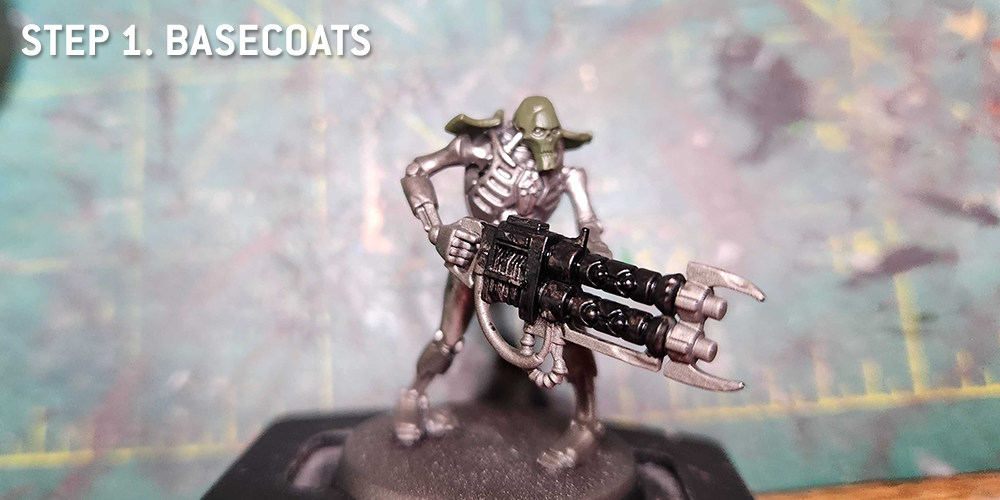
Step 1. Basecoats
I started by painting the key elements which would be some color other than silver. In this case, that's the gun, which I painted
Abaddon Black, and the shoulder armor and head, which were painted
Castellan Green.
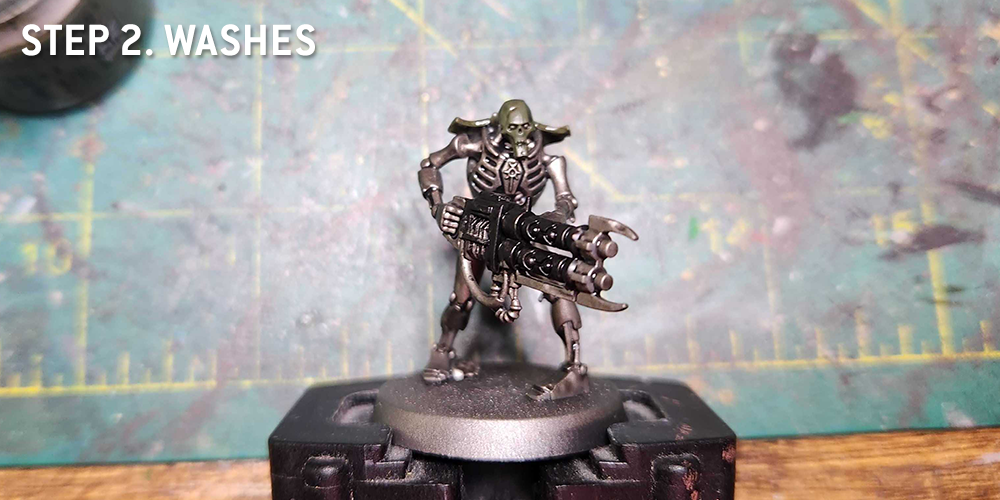
Step 2. Washes
I washed the whole model with
Nuln Oil. I also did a bit of
Coelia Greenshade on the Castellan Green armor parts for a bit more consistency there.
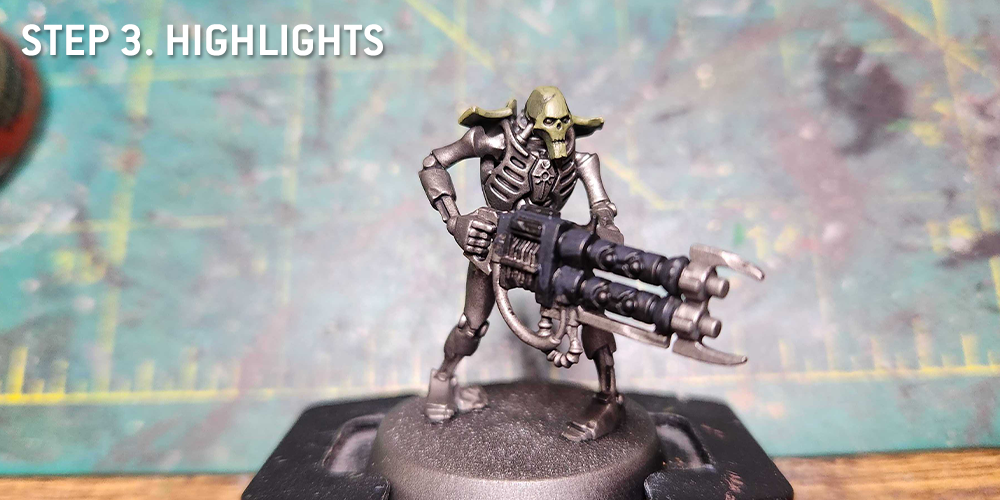
Step 3. Highlights
Once the washes were dry, I went back and hit the raised parts of the model with lighter colors.
Corvus Black for the gun, which gives is a nice dark gray highlight.
Castellan Green and
Deathworld Forest for the head and shoulder plates. And
Leadbelcher fo the silver body, especially covering any areas where the wash may have pooled.
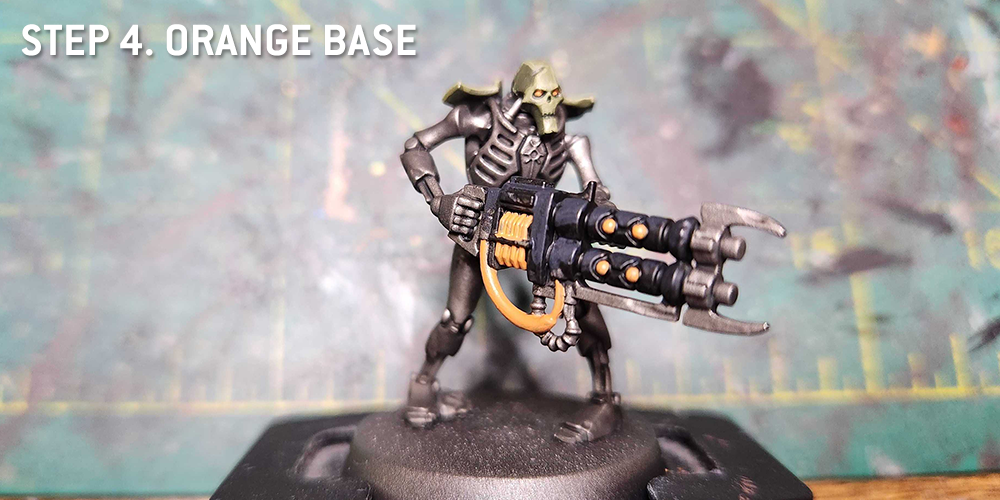
Step 4. Orange Base
Time to lay down the orange base. I do several thin coats of
Fire Dragon Bright on the cables, orbs, and coils, and add a couple of dots for the model's eyes.
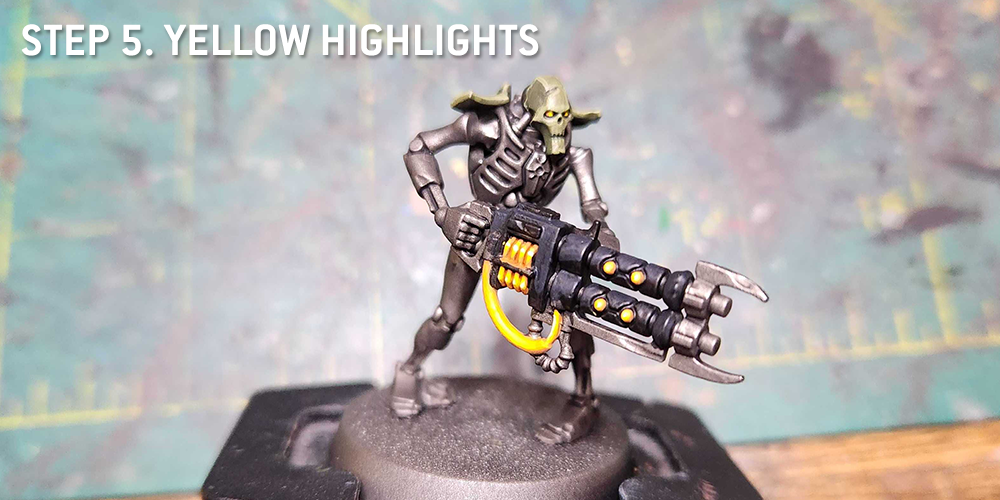
Step 5. Yellow Highlights
This is really several steps, as I do a couple of passes of Fire Dragon Bright mixed with
Flash Gitz Yellow before working my way up to pure yellow on the cables, orbs, and coils. I do a couple small dots of Flash Gitz on the eyes. The goal is to create a soft transition.
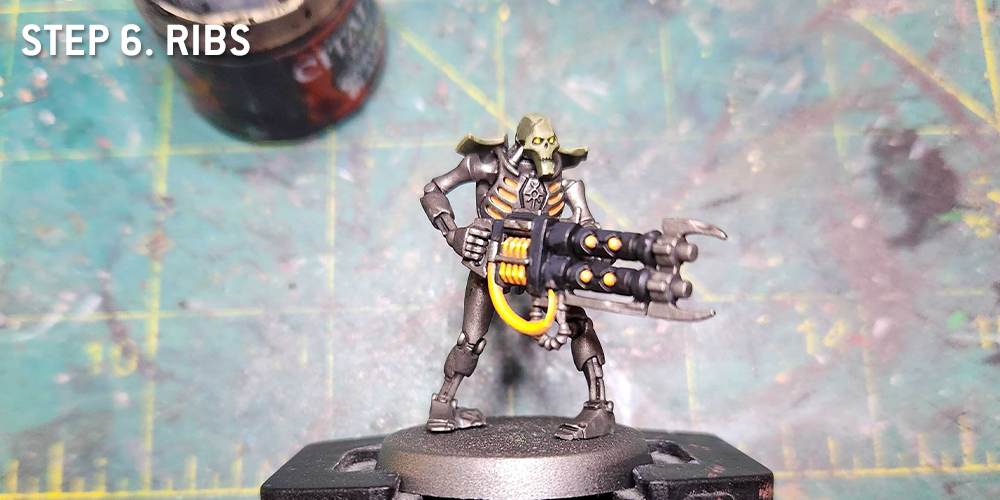
Step 6. The Rips
This is where I realized I wanted to do bright orange glow on the models ribs, making it look like he has fire inside him. So I painted Fire Dragon Bright in the space between ribs, then highlighted inside that with Flash Gitz Yellow.
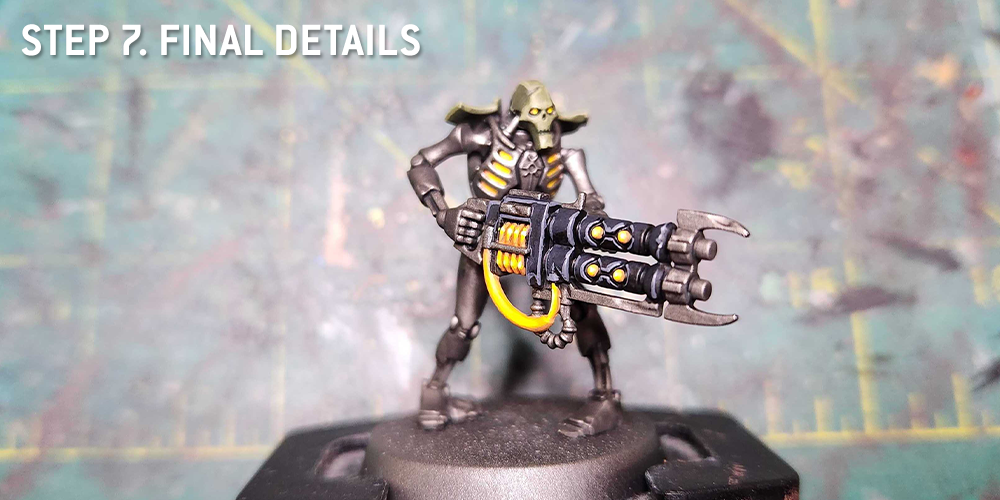
Step 7. Final Details
There are a lot of little things in this final stage, starting with edge highlighting. I fix a bunch of little details, then edge highlight the gun with
Mechanicus Standard Grey, the head with
Death Guard Green, and the body with
Runefang Steel. I'll also paint the chest emblem, painting it Corvus Black and hitting the Necron icon there with
Retributor Armour.
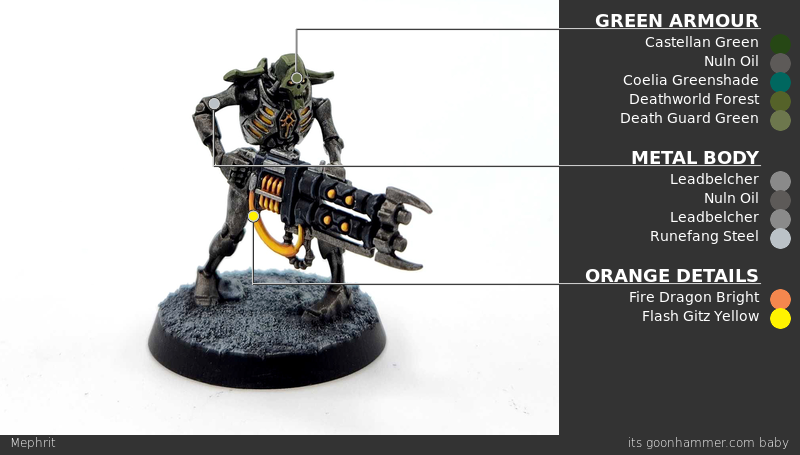
And that does it! Not a terrible model to paint, though the bright orange/yellow energy requirements make this scheme a bit tougher - but also more interesting - to paint.
 This article is part of a larger series on how to paint Necrons. To return to that series, click here.
Thank you for being a friend.
 This website uses cookies. Learn more.

 Goonhammer Hobby Round-Up: March 2026
 Goonhammer Reviews: Tribal Conquest
 Conquest: Weaver Courts Gemred Knights and Scaile Dancers Model Review

